Where does Windsurf store rules and config?
~/.windsurf/rules/, but memories, workflows and MCP config live under ~/.codeium/windsurf/ — a leftover from Windsurf's Codeium origins. Project rules go in .windsurf/rules/ inside each repo (legacy repos may use a .windsurfrules file).
The two-roots quirk
Windsurf grew out of Codeium, and its configuration never fully moved house. The result is one tool with two hidden homes in your home directory:
| What | Path | Notes |
|---|---|---|
| Global rules | ~/.windsurf/rules/ | Markdown files |
| Global rules (legacy memories) | ~/.codeium/windsurf/memories/global_rules.md | Single file — still read |
| Workflows | ~/.codeium/windsurf/workflows/ | Markdown per workflow |
| MCP servers | ~/.codeium/windsurf/mcp_config.json | mcpServers key |
If you only check ~/.windsurf/, you'll miss your MCP servers, your workflows, and possibly rules living in the old memories file. Both roots are live at once.
Project-level Windsurf config
| What | Path |
|---|---|
| Project rules | <repo>/.windsurf/rules/ |
| Project workflows | <repo>/.windsurf/workflows/ |
| Legacy rules file | <repo>/.windsurfrules |
| Shared instructions | <repo>/AGENTS.md — Windsurf reads the open standard |
Why this matters in practice
- Backups and dotfile repos miss half the config. Sync
~/.windsurf/to a new machine and Windsurf arrives with no MCP servers and no workflows. - Cleanup misses the other half. Uninstall Windsurf, delete
~/.windsurf/, and~/.codeium/quietly stays behind. - Debugging goes in circles. "Why is this rule still applying?" — because it's in
global_rules.mdin the root you didn't check.
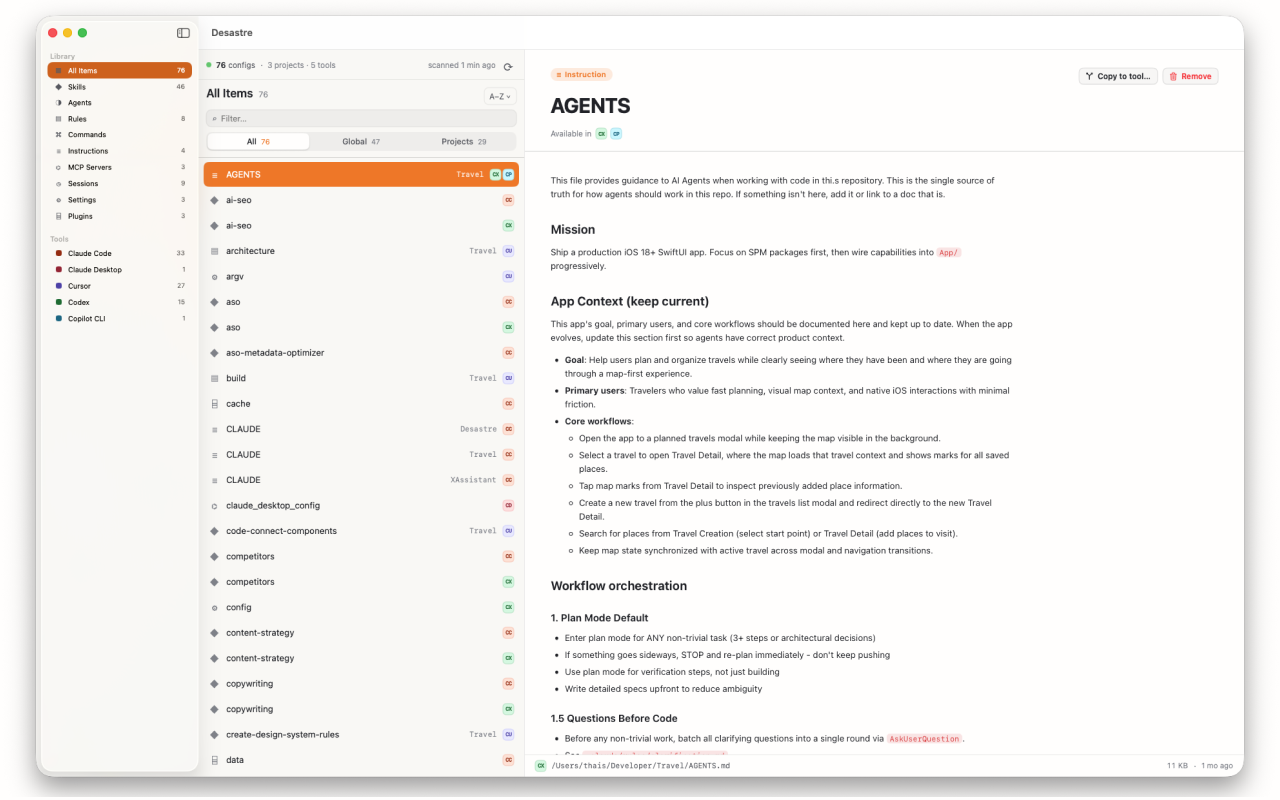
Both roots, one window
Desastre scans ~/.windsurf/ and ~/.codeium/windsurf/ — plus every project's .windsurf/ folder and legacy .windsurfrules files — and shows everything in one inventory, tagged Windsurf. Rules, workflows, memories and MCP config sit side by side with your Claude Code and Cursor configs, so you can compare what each tool knows and copy the good rules across with automatic format conversion.

Desastre — AI config manager for Mac
Both Windsurf config roots — and 18 other tools — discovered automatically in one native window. $1.99, one time.
Download on the Mac App Store