Where is MCP server config stored? Every tool's path
~/.claude.json, Claude Desktop in ~/Library/Application Support/Claude/claude_desktop_config.json, Cursor in ~/.cursor/mcp.json, Codex in TOML blocks inside ~/.codex/config.toml, and Zed under a key called context_servers (not mcpServers). The full table for 13 tools is below.
The complete MCP config location table (macOS)
Same protocol, thirteen different homes. File, format, and the JSON key name all vary per tool:
| Tool | Global config file | Key / format |
|---|---|---|
| Claude Code | ~/.claude.json | mcpServers (JSON) — note: outside ~/.claude/ |
| Claude Desktop | ~/Library/Application Support/Claude/claude_desktop_config.json | mcpServers (JSON) |
| Cursor | ~/.cursor/mcp.json | mcpServers (JSON) |
| Windsurf | ~/.codeium/windsurf/mcp_config.json | mcpServers (JSON) |
| Codex | ~/.codex/config.toml | [mcp_servers.<name>] blocks (TOML) |
| GitHub Copilot CLI | ~/.copilot/mcp-config.json | mcpServers (JSON) |
| Amp | ~/.config/amp/settings.json | amp.mcpServers (JSON, nested) |
| Antigravity | ~/.gemini/antigravity/mcp_config.json | mcpServers (JSON) |
| Gemini CLI | ~/.gemini/settings.json | mcpServers (JSON, inside settings) |
| OpenCode | ~/.config/opencode/opencode.json | mcp (JSON) |
| Continue.dev | ~/.continue/mcpServers/*.json | One file per server, or inline in config.yaml |
| Zed | ~/.config/zed/settings.json | context_servers (JSON — not mcpServers) |
| Cline / Roo Code | VS Code extension globalStorage mcp_settings.json | mcpServers (JSON, buried in ~/Library/Application Support/Code/…) |
Project-level MCP config
Several tools also read a per-repo MCP file, which is how a project ships its own servers:
.mcp.jsonat the repo root — Claude Code and Copilot.cursor/mcp.json— Cursor.github/mcp.json— Copilot.roo/mcp.json— Roo Codeopencode.json— OpenCode
Why this bites you
Add a filesystem server to Claude Desktop and it doesn't exist in Claude Code. Configure Postgres access in Cursor and Windsurf knows nothing about it. Every tool re-invents the location, so your MCP setup fragments into a dozen files — some JSON, one TOML, one hiding under a key name nothing else uses. When a server breaks or you rotate a token, you get to remember all of them.
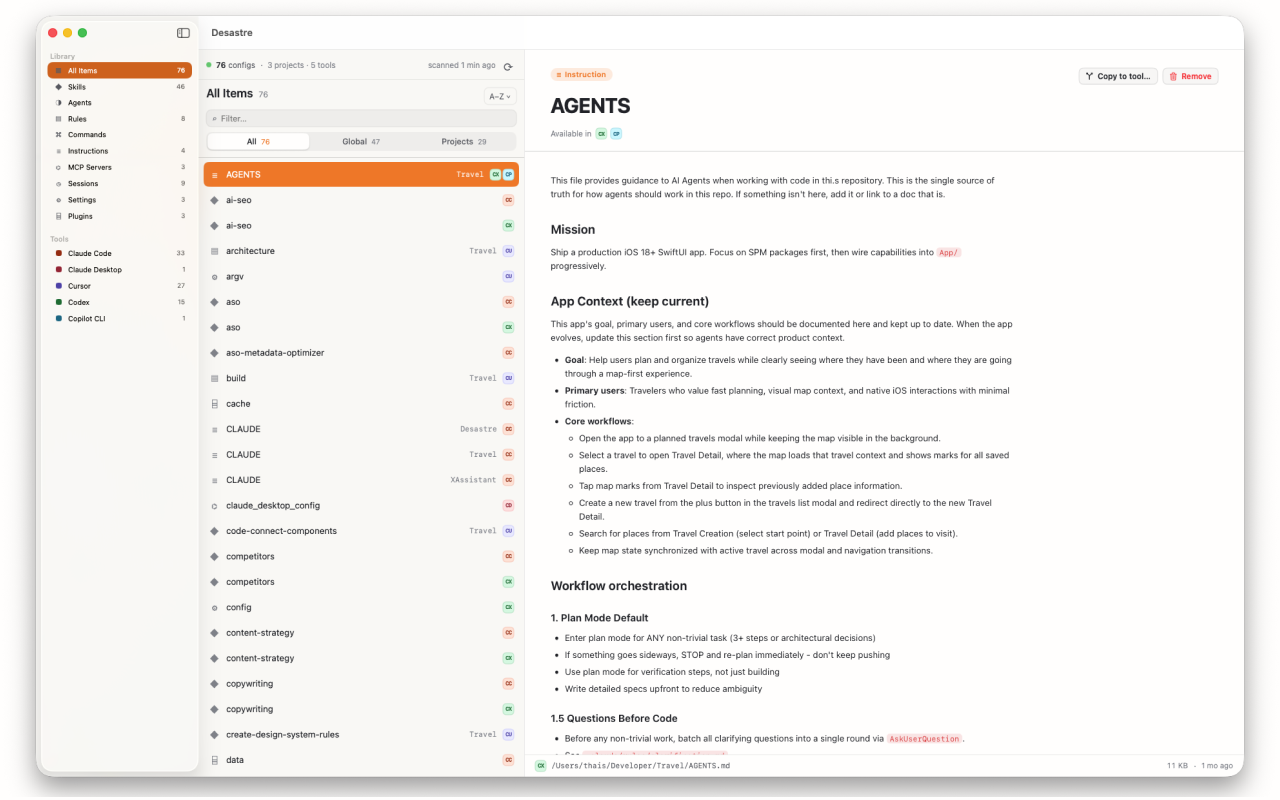
See every MCP config on your machine in one list
Desastre knows every path and key name in the table above. It scans your machine and lists each MCP config file it finds — ~/.claude.json, claude_desktop_config.json, the TOML in ~/.codex/, project-level .mcp.json files — under one MCP Servers section, each tagged with its tool. Click any of them for a syntax-highlighted preview of exactly which servers it defines, then copy a JSON-based config to another tool without retyping it.

Desastre — AI config manager for Mac
Every MCP server config from 19 AI tools, found automatically and previewed in one native window. $1.99, one time.
Download on the Mac App Store