Where does Cursor store rules?
~/.cursor/rules/ as .mdc files. Project rules live in each repo's .cursor/rules/ folder. Older projects may still carry a legacy .cursorrules file at the repo root — Cursor still reads it, but the folder format is the current standard.
Every Cursor config location on your Mac
| What | Path | Notes |
|---|---|---|
| Global rules | ~/.cursor/rules/ | .mdc files, apply across projects |
| Project rules | <repo>/.cursor/rules/ | .mdc files, committed with the repo |
| Legacy rules | <repo>/.cursorrules | Single plain-text file, deprecated but still read |
| Global MCP servers | ~/.cursor/mcp.json | Servers under the mcpServers key |
| Project MCP servers | <repo>/.cursor/mcp.json | Same format, per project |
| Skills | ~/.cursor/skills/ and <repo>/.cursor/skills/ | Folder per skill with SKILL.md |
| Agents | ~/.cursor/agents/ and <repo>/.cursor/agents/ | Markdown files |
| Project instructions | <repo>/AGENTS.md | Cursor reads the open AGENTS.md standard |
The .mdc format
Cursor rules are Markdown with a YAML frontmatter block that controls when the rule activates:
---
description: How to write API endpoints in this codebase
globs: ["src/api/**/*.ts"]
alwaysApply: false
---

Use zod for validation. Every endpoint returns a typed Result.
description tells the model when the rule matters, globs scopes it to matching files, and alwaysApply: true injects it into every request. These three fields are Cursor-specific — which is exactly what makes moving rules to other tools fiddly.
Why rules go missing
Three common reasons a rule you wrote isn't where you think it is:
- It's in the other scope. You wrote it globally (
~/.cursor/rules/) but you're looking in the project, or vice versa. - It's in the legacy file. An old repo's
.cursorrulesstill works silently while you search the.cursor/rules/folder that doesn't exist. - It's in a repo you forgot. Rules you perfected in one project don't follow you to the next — they stay behind, scattered across every project you've ever opened.
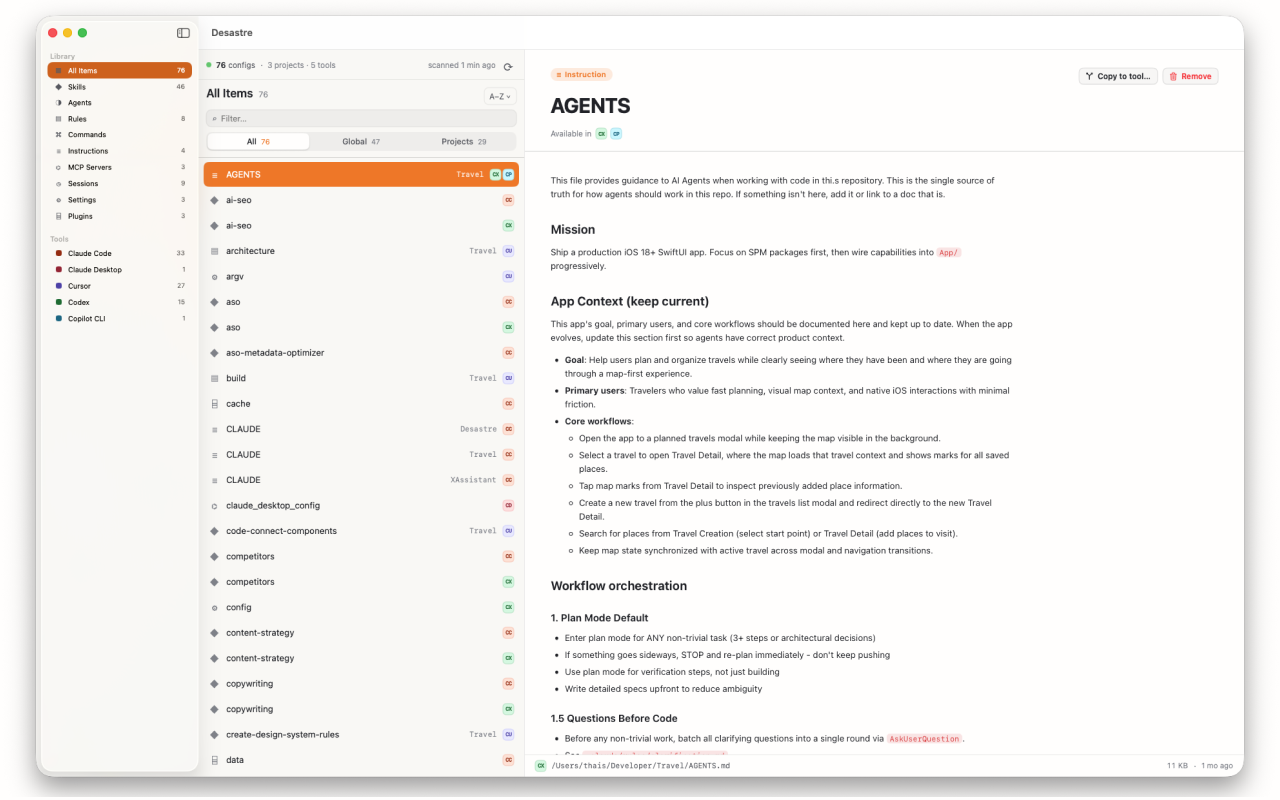
Inventory every rule you've ever written
Desastre scans your home folder and lists every Cursor rule on your machine — global .mdc files, project rules folders, and legacy .cursorrules files in repos you haven't opened in months. Filter to Cursor, flip between Global and Projects, and preview any rule with its frontmatter rendered as a clean header.
Found a rule worth reusing? "Copy to tool…" sends it to Claude Code, Windsurf or Continue.dev with the format converted automatically — globs and alwaysApply stripped, extension changed, nothing overwritten.

Desastre — AI config manager for Mac
Every Cursor rule, skill and MCP server on your machine — plus 18 other tools — in one native window. $1.99, one time.
Download on the Mac App Store