Find every MCP server on your Mac
Quick answer: MCP (Model Context Protocol) server config is scattered across
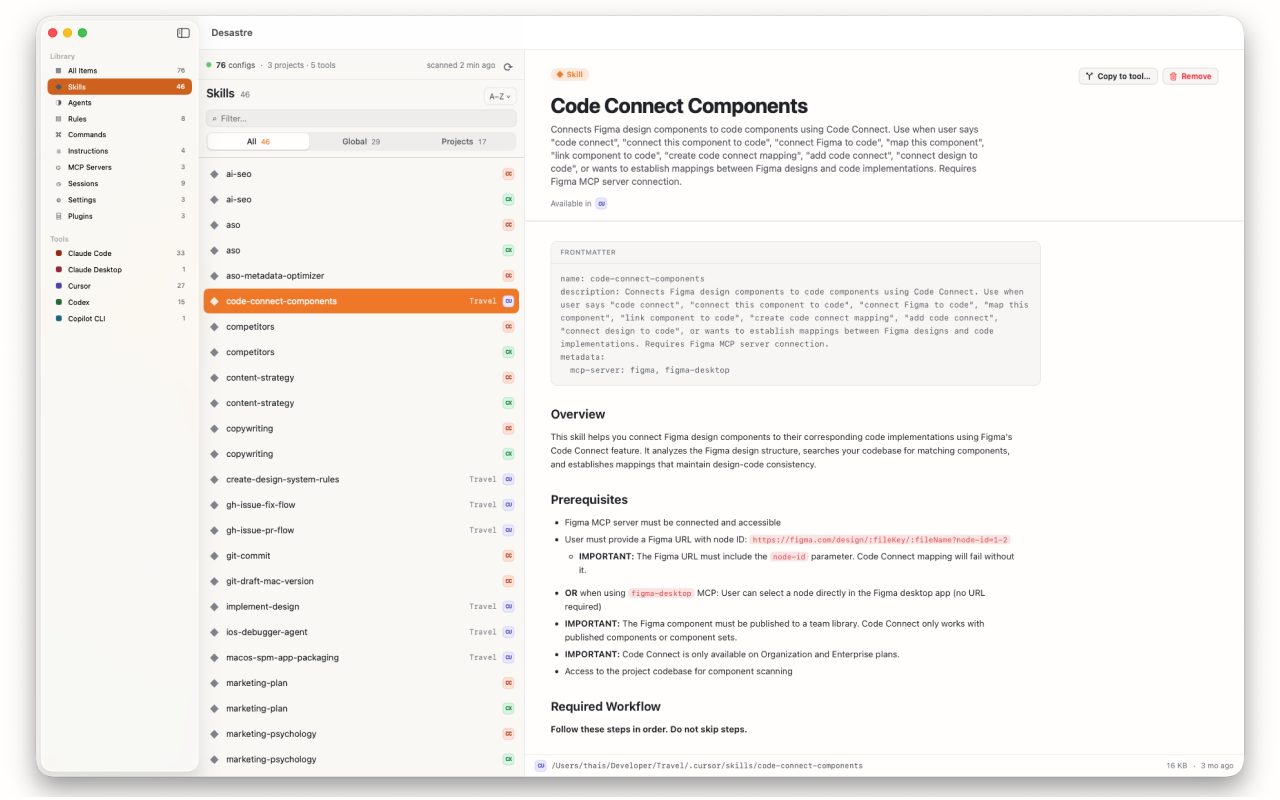
~/.claude.json, Claude Desktop's claude_desktop_config.json, VS Code extension storage, and a .mcp.json inside every project you've configured. Desastre scans all of them and lists every MCP server on your Mac in one window — which tool it belongs to, which project, and what it points at. 100% local, $1.99 once.
Why MCP servers are hard to track
There is no single MCP config file. Each tool put it somewhere different:
| Tool | Where its MCP servers live |
|---|---|
| Claude Code | ~/.claude.json (global) + .mcp.json per project |
| Claude Desktop | ~/Library/Application Support/Claude/claude_desktop_config.json |
| Cursor | ~/.cursor/mcp.json + .cursor/mcp.json per project |
| Cline / Roo Code / Continue | VS Code globalStorage under Application Support |
| Codex, Windsurf, Gemini, others | Each in its own tool folder or project file |
Configure a server in one tool, forget it in another, and you've no idea what's still wired up. Read the full breakdown in the MCP config locations guide.
See them all in one window
Desastre sweeps every known MCP location across 13 tools and lists each server with the tool and project it belongs to. Preview the raw JSON, reveal it on disk, or remove a stale one.
Private by design
Every scan runs on your Mac. Desastre is sandboxed and App Store-vetted, never uploads your files, and needs no account.

Desastre — find every MCP server on your Mac
Every MCP server across all your AI tools, in one window. $1.99 one time.
Download on the Mac App Store