Where do Gemini CLI and Antigravity store config?
~/.gemini/. Gemini CLI reads instructions from ~/.gemini/GEMINI.md, settings and MCP servers from ~/.gemini/settings.json, and extensions from ~/.gemini/extensions/. Antigravity keeps its skills, agents and MCP config under ~/.gemini/antigravity/ — but reads the same GEMINI.md, which is where the trouble starts.
Every path, both tools
Gemini CLI
| What | Path |
|---|---|
| Global instructions | ~/.gemini/GEMINI.md |
| Settings + MCP servers | ~/.gemini/settings.json (servers under mcpServers) |
| Extensions | ~/.gemini/extensions/ (one folder per extension, gemini-extension.json manifest) |
| Project instructions | <repo>/GEMINI.md or <repo>/.gemini/GEMINI.md |
| Project settings | <repo>/.gemini/settings.json |
Antigravity
| What | Path |
|---|---|
| Skills | ~/.gemini/antigravity/skills/ (folder per skill, SKILL.md) |
| Agents | ~/.gemini/antigravity/agents/ |
| MCP servers | ~/.gemini/antigravity/mcp_config.json (mcpServers key) |
| Global instructions | ~/.gemini/GEMINI.md — shared with Gemini CLI |
The shared-folder conflict
Because both tools treat ~/.gemini/GEMINI.md as their instruction file, edits made for one silently apply to — or overwrite — the other. Write CLI-specific instructions ("always use non-interactive flags") and Antigravity inherits them; let Antigravity regenerate the file and your CLI instructions can vanish. There's no warning in either tool, because each believes it owns the file.
If you use both, treat GEMINI.md as shared territory: keep it tool-neutral, and put tool-specific behavior in each tool's own settings.
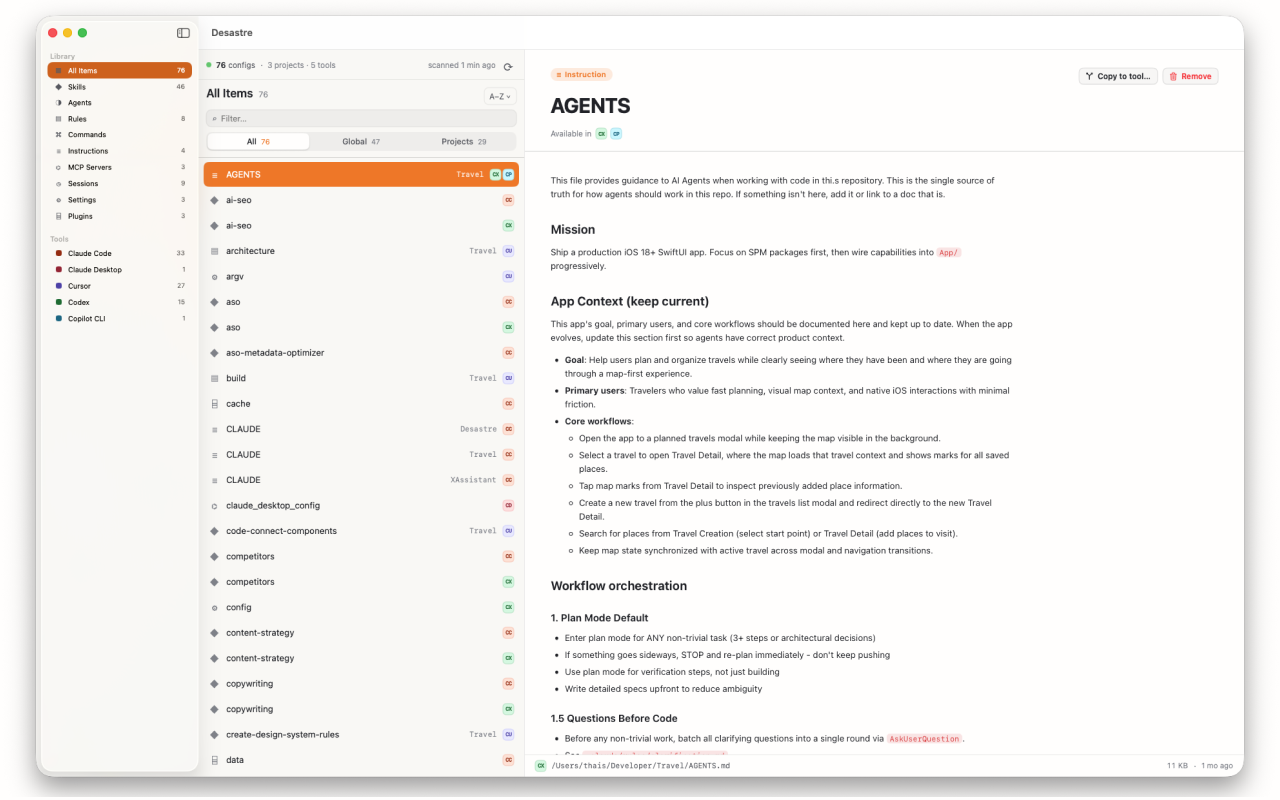
Make the conflict visible
Desastre scans ~/.gemini/ and every project's GEMINI.md, and tags shared files with every tool that reads them — so the CLI/Antigravity overlap is visible instead of silent. You see each file's last-modified date (useful for spotting "wait, what rewrote this?"), preview the contents rendered, and keep Antigravity's skills and MCP config in the same inventory as your Claude Code, Cursor and Copilot files.

Desastre — AI config manager for Mac
GEMINI.md, Antigravity skills, and configs from 17 more tools — one native window, conflicts made visible. $1.99, one time.
Download on the Mac App Store