Where does GitHub Copilot store custom instructions?
.github/copilot-instructions.md at the repo root, plus scoped .github/instructions/*.instructions.md files. Globally, the Copilot CLI reads ~/.copilot/copilot-instructions.md. Copilot also honors the shared AGENTS.md standard, keeps agents in .github/agents/, and stores MCP config in ~/.copilot/mcp-config.json.
Every Copilot config location
Per project (inside the repo)
| What | Path | Notes |
|---|---|---|
| Main instructions | .github/copilot-instructions.md | Applies to the whole repo |
| Scoped instructions | .github/instructions/*.instructions.md | Frontmatter applyTo globs scope each file |
| Shared standard | AGENTS.md | Copilot reads the open standard too |
| Agents | .github/agents/ | One Markdown file per agent |
| MCP servers | .github/mcp.json or .mcp.json | Servers under mcpServers |
Global (Copilot CLI, your home directory)
| What | Path | Notes |
|---|---|---|
| Global instructions | ~/.copilot/copilot-instructions.md | Override dirs via COPILOT_CUSTOM_INSTRUCTIONS_DIRS |
| Global agents | ~/.copilot/agents/ | Markdown files |
| Global MCP servers | ~/.copilot/mcp-config.json | Relocatable via COPILOT_HOME |
The .github/ scatter problem
Copilot's config hides inside a folder most people associate with CI workflows. That has two consequences:
- You forget it exists. A
copilot-instructions.mdwritten a year ago keeps steering Copilot in that repo long after your conventions changed. - It doesn't travel. Instructions live per repo, so each new project starts from zero — unless you remember what you wrote in the last one and where.
Add the global CLI files in ~/.copilot/ and one tool's config is spread across every repo you own plus a hidden home-directory folder.
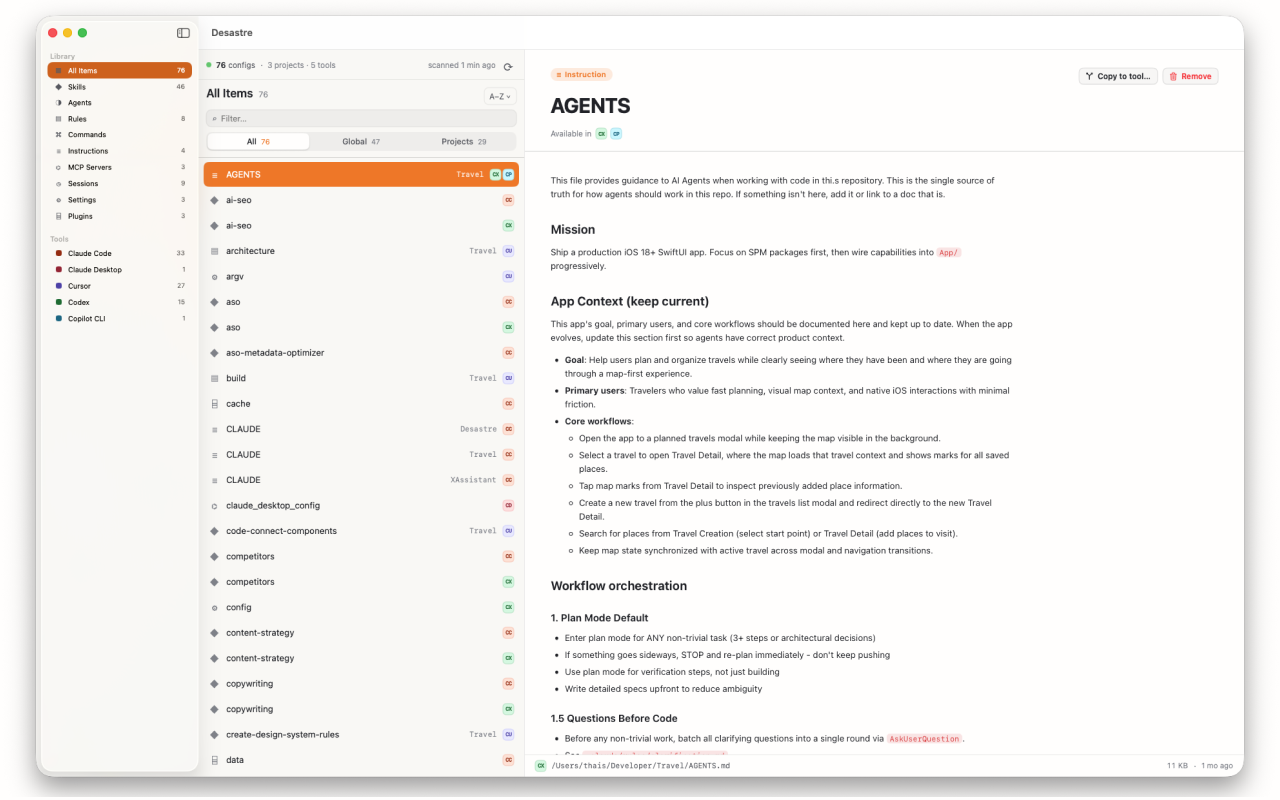
Every Copilot file, surfaced automatically
Desastre scans your machine and lists every Copilot config it finds — copilot-instructions.md in every repo, scoped .instructions.md files, .github/agents/, the global ~/.copilot/ files and MCP config — in one window, tagged with the project each belongs to. Files Copilot shares with other tools (like AGENTS.md or .mcp.json) are tagged with every compatible tool, so you can see at a glance which instructions serve double duty.
Want to bring a great repo's instructions to Claude Code or Codex? "Copy to tool…" renames and places the file correctly in one click.

Desastre — AI config manager for Mac
Every Copilot instruction file across all your repos — plus 18 other tools — in one native window. $1.99, one time.
Download on the Mac App Store